If you have a single (or some more) question regarding any of the tech topics of this board and feel that it wouldn't justify creating an own thread just for that, feel free to post it in here.
If you know the answer to any of the questions in this thread, please help us out here! I am sure it's going to be appreciated.
I am creating this thread since there's ben popping up too many threads lately with single questions asking for help that aren't really set out to create too much interest.
ubuntu@ubuntu:/$ echo "2f0a0a" | if [[ "2f0a0a" =~ "2f" ]]; then echo "2f0a0a" | xxd -ps -r -; else echo "2f0a0a"; fi
/
ubuntu@ubuntu:/$ sh -c 'echo "2f0a0a" | if [[ "2f0a0a" =~ "2f" ]]; then echo "2f0a0a" | xxd -ps -r -; else echo "2f0a0a"; fi'
sh: 1: [[: not found
2f0a0a
ubuntu@ubuntu:/$
>>367
Use bash -c:
ubuntu@ubuntu:/$ bash -c 'echo "2f0a0a" | if [[ "2f0a0a" =~ "2f" ]]; then echo "2f0a0a" | xxd -ps -r -; else echo "2f0a0a"; fi'/
ubuntu@ubuntu:/$
can you get support studying cloud computing? im very discouraged after failing the first cert test which only have like 10 questions... im not sure i get the whole thing..
i really wanna jump about the whole subject and get a well paying career in it....
>>369
TCP/IP illustrated volume 1
The Linux Command Line https://linuxcommand.org/tlcl.php
How did games like powerdrift defines the tracks back then?
curious how slopes, tilt and elevation was defined even without 3d. also the small tiny lumps gets different treatment too
https://youtu.be/-ngUCwEVtlI
You're a fan of asking extremely complicated questions, huh.
Most likely a 2d array. Each element in that array is something like
struct map_element {
int type;
int height;
int rotation;
}
>>372 >complicated
that didnt took you a whole page.
is this proven though? what is a rotation?
>>372
At what angle the fragment of a map is placed. This doesn't seem that important for decorative elements in background like trees, they never rotate, but chunks of map do. I don't know if you can even leave track in that game, so I don't know if you can collide with a tree.
It is also possible that the racing track is stored like a bunch of vectors, array of vectors, "this goes stright and up" "this goes a bit left", "this goes left a lot".
Knowing how it was made back then wouldn't help you much with making games now, technologies are very different.
>>374 hmmm. well you can leave the track and falls so theres a "limit"
of the track defined by the map i suppose.
>bunch of vectors
very interesting, can you give example? how can the tracks be merely vectors?
>different technology
indeed. these days its trivial to build tracks in 3d space, i suppose im just curious.
>>375
I mean it could be stored like "next chunk of the road is straight ahead", "next chunk of road is 10 degrees to the left", "next chunk of road is 10 degrees to the right and up". Doubt it works like that, probably just uses a 2d array, 2d array will waste more memory but will probably work faster. It is a guesswork.
struct road_direction {
int vertical_rotation;
int horizontal_rotation;
};
>>376 thres also sagital rotation, as in roads being tilted. so i guess then the array will contain a stack of 2d maps?
>>376 also that s just the graphic right? collission/physics not incuded i guess?
How was physics programmed in Games like radmobile, powerdrift? like how the cars goes up an down and stick to the streets and no "jumps", orient towards tilted sprites... some voxel map? or splines? how do you write splines in 2d engine?
Please explain how ramps are programmed here https://www.lexaloffle.com/bbs/?pid=72871
looking for the books to help code games like radmobile, powerdrift, virtuoso in 3do, assortments of things from dealing with camera clipping, ramps that goes around and the physics/collission of the roads that goes tilted or even upside down
where can u find em?
how do i learn cloud engineering
1) google "cloud engineering courses"
2) pay for those
3) be disappointed that you didn't pay me instead
Does anyone have a recommendation for a technology to build a (relatively) simple game/app that runs in browsers these days?
I would like something a bit more intended for working with graphics/a main loop than JS
Something like Flash or Unity, but hopefully lighter weight.
Godot is capable of creating webbrowser games. You might want to look into webassembly.
https://www.youtube.com/watch?v=t_rzYnXEQlE
FIXING the ENTIRE SM64 Source Code (INSANE N64 performance)
by: Kaze Emanuar
He made Super Mario 64 run at 3 times higher fps even on original hardware. He did it by making sure cpu unit and graphical unit fight for memory less, and adding memory alignment and such. Because of that, the game now requires an expansion pack, increasing the memory requirements from original 4 MB to 8 MB. Plus a lot of other work.
Pity, why they fuck with hardware that isn't even produced anywhere anymore.
https://github.com/danielmm8888/TF2Classic
team fortress 2 classic source code. An outdated version, but maybe worth taking a peak at.
I wonder if having no motivation to write programs is a good or a bad thing. It is a waste of time anyway, if you aren't getting paid for it.
>>387
It's for the knowledge and the challenge itself. The fame is only a useful side effect.
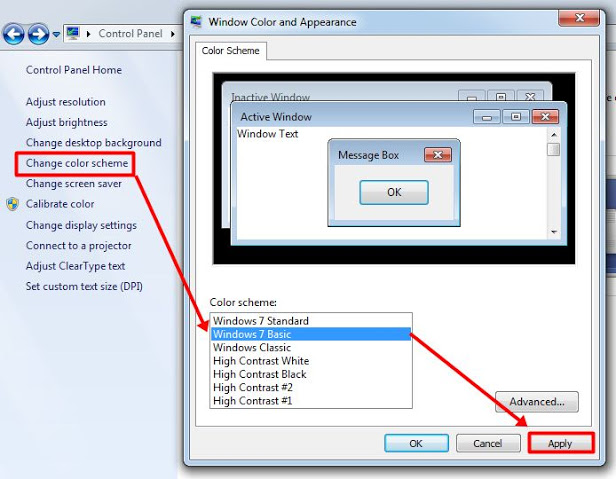
In windows 7 I can customize windows colors pretty extensively, but I can't find how to do the same in windows 10. Is it possible to change those? Windows 10 color customization is very very limited, but I suspect that it's still possible to change those old values through registry changes or some side program.
https://4-ch.net/img/src/1655451139489.jpg
If I were to one day write a board software, here are good references.
https://github.com/kennell/imageboards
https://overscript.net
https://github.com/ccd0/imageboards.json/blob/gh-pages/imageboards.json
https://sites.google.com/site/powturbo/home/benchmark
to create a .net forms project from console, type this
dotnet new winforms
https://stackoverflow.com/questions/43390466/is-visual-studio-community-a-30-day-trial
resetting trial period in visual studio
Tried to compile Winecx and during the configure process it told me this:
configure: error: You need a version of clang that supports -ilocal to build Wine for 32on64.
Which version of clang supports this? The user's manual for clang has zero ctrl-f results for it, and I can't find any other guides mentioning this option.
Is Visual Basic even worth learning these days? It seems like a throaway language to me.
What's a fun operating system I can play around with in a VM? I was playing around with Windows 95 recently since I missed using it and actually built an old 486 to use it properly with. But I want to try something else. It could be a Windows OS, Linux, Inbox, BSD or something else. I've played with Haiku and like it so I don't want to use that again.
Pls respond and let me know.
Okay so I might try out eComStation. Archive.org has an ISO available. Hopefully I can get it working.
How do I learn the truth and escape the Matrix?
how do i install kareha on apache? i've been following the guide at
I cannot for the life of me get the server to run the kareha.pl script when I navigate it to a web browser (the browser instead prompts me to download the file). I have tried setting the script to executable, adding "Options +ExecCGI
AddHandler", and "cgi-handler .cgi .pl" to the apache2.conf file, and setting the hashbang at the beginning of the script. What else am i missing?
weird it wouldn't let me post this link
first line should be
how do i install kareha on apache? i've been following the guide at wakaba(DOT)c3(DOT)cx/docs/docs.html#KarehaQuickStart
not sure why i said install kareha ON apache.
I meant install kareha on debian
you get the point
well i at least was able to get the perl script to execute instead of download now.. that's progress
still can't figure it out
i can get kareha.pl to run inside the cgi-bin directory, but kareha doesn't work when run from there
I have "Options +ExecCGI
AddHandler", and "cgi-handler .cgi .pl" in the directory that the kareha files are in, still can't get it to work. When i navigate to kareha.pl in my browser, it just downloads the file
i figured it out
>>405
Post your solution to your problem.
Can I run Windows software on Solaris using wine?
>>397
I would say RISC OS, a classic like OS/2, but you may need an ARM computer/emul to make it run. Think ppl got it to run on a Raspberry Pi.
As for x86 platform, a little, often overlooked one is GEOS for PC. Similar Win 3.x, nowadays it is foss, iirc. Also marketed as GEOWorks, Breadbox Ensemble a.o..
>>398
Newest is OS/2 derivate is ArcaOS, but non-free. Quite a bit modernised, so it installs on more recent PCs. Sadly idiots at IBM never released OS/2 source, could have been the better Windows... :(
>>408
If IBM released the source Microsoft would have raped it. They are slowly raping Linux now.
How the fuck do i use a computer?
>>407
yes but lil trickkkky
but not on sparc cpus
How do I patch KDE 2 on the FreeBSD?
How the hell am I supposed to sort CSS selectors in my stylesheet?
Alphabetically?
fuck this i am just putting all my stuff inline
I'd sort by specificity[1], then alphabetically. Maybe split into groups if the file grows large, and sort them alphabetically.
[1]: https://developer.mozilla.org/en-US/docs/Web/CSS/Specificity